In today's competitive business environment, effective customer communication plays an important role in business growth. Whether you run a startup, small business or large enterprise, responding to customer calls on time and providing the right information can directly influence customer satisfaction. However, managing multiple incoming calls manually can become challenging, especially when your business receives a high volume of customer enquiries every day. This is where IVR software becomes a valuable business communication solution.
IVR (Interactive Voice Response) is an automated telephone technology that allows businesses to interact with callers through pre-recorded voice messages and keypad inputs. It helps companies manage incoming calls, route customers to the right departments, automate routine enquiries and improve their overall calling experience.
Today, many organizations use an IVR calling system to simplify customer support, manage sales enquiries, reduce repetitive manual work and make business communication more organized. From real estate companies and educational institutions to hospitals, financial organizations and e-commerce businesses, IVR services are useful across multiple industries.
In this blog, we will explain what IVR is, how IVR software works, its important features, major benefits, business applications and why choosing the right IVR service provider can help improve your business communication.
What Is IVR?
IVR stands for Interactive Voice Response. It is an automated calling technology that enables businesses to communicate with customers without requiring a human executive to answer every incoming call.
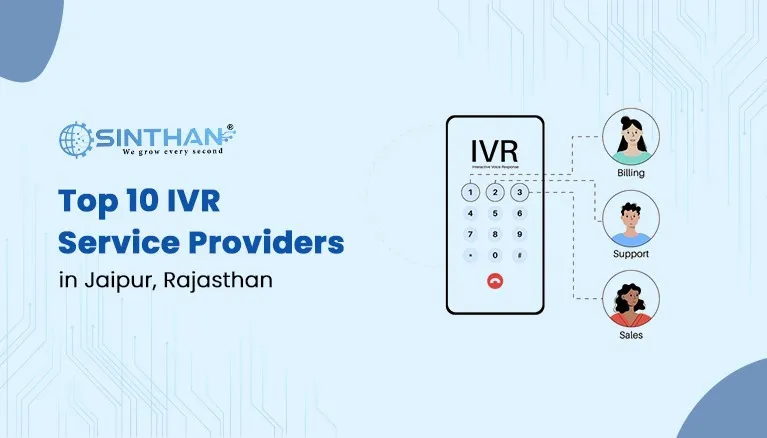
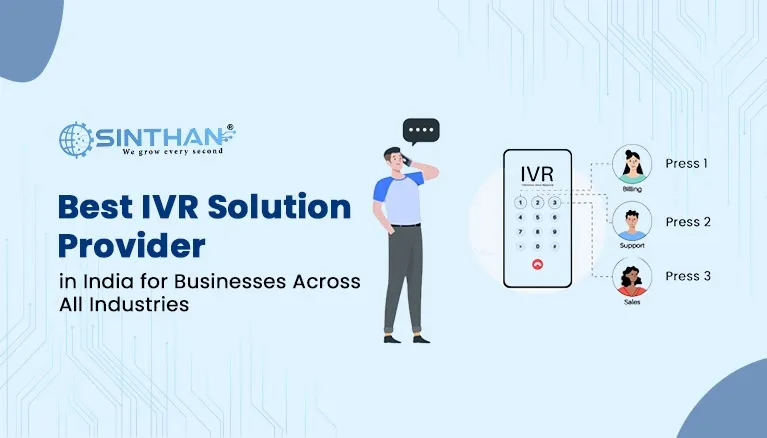
An IVR system welcomes callers with a recorded voice message and provides different options through a telephone keypad. Based on the option selected by the caller, the system automatically transfers the call to the relevant department, executive or destination.
For example, when a customer calls a company, they may hear the following message:
"Welcome to our company. For Sales, Press 1. For Customer Support, Press 2. For Billing Information, Press 3. To Speak with Our Executive, Press 0."
When the caller selects an option, the IVR software processes the selection and takes the appropriate action.
This automated process helps businesses manage customer calls more efficiently while providing callers with a structured communication experience.
An IVR service can be configured according to business requirements, including department-wise call routing, business-hour greetings, multiple language options, call transfers and automated voice announcements.
What Is IVR Software?
IVR software is a communication platform that businesses use to create, manage and operate automated telephone systems. It allows organizations to design customized call flows, upload voice recordings, configure menu options, manage incoming calls and monitor calling activities.
Unlike traditional telephone systems that depend heavily on manual call handling, IVR software automates several parts of the customer calling process.
Businesses can use IVR software to:
- Automatically answer incoming customer calls.
- Play customized welcome messages.
- Provide multiple menu options.
- Route calls to the appropriate departments.
- Transfer calls to available executives.
- Manage calls during working and non-working hours.
- Provide automated information to customers.
- Track call activities through reporting and analytics.
- Integrate calling processes with compatible CRM software.
An IVR software solution can be customized for different business sizes and industries. Depending on the provider, businesses may choose cloud-based IVR software, hosted IVR solutions or other telephony configurations.
How Does IVR Software Work?
Understanding how an IVR calling system works is important before implementing it in your business. The technology follows a systematic process that connects callers with the right information or department.
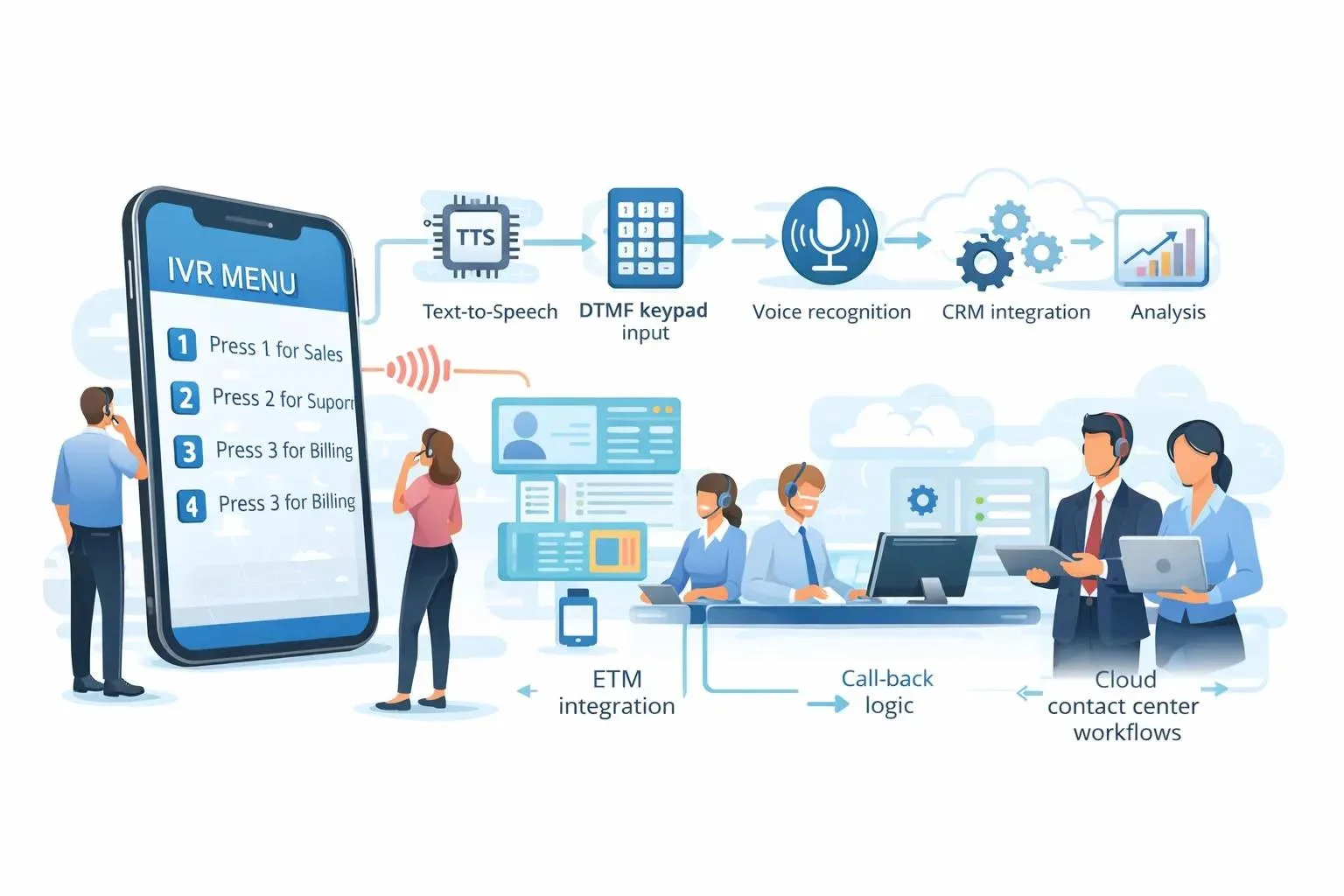
Here is a step-by-step explanation of how an IVR system works:
1. Customer Makes a Call
The process begins when a customer dials the company's business phone number, virtual number or configured toll-free number.
The incoming call reaches the IVR platform through the connected telecommunication network.
2. Automatic Welcome Message
After receiving the call, the IVR system automatically plays a pre-recorded welcome message.
For example:
"Thank you for calling ABC Company. How may we assist you today?"
Businesses can customize these greetings according to their brand identity, language preferences and communication requirements.
3. IVR Menu Options
After the welcome message, the system provides callers with different options.
For example:
- Press 1 for Sales.
- Press 2 for Customer Support.
- Press 3 for Product Information.
- Press 4 for Accounts and Billing.
- Press 0 to speak with an executive.
This menu helps callers select the department or service they need.
4. Caller Selects an Option
The customer selects an option using the telephone keypad. This process is commonly known as DTMF (Dual-Tone Multi-Frequency) input.
Some advanced IVR platforms also support speech recognition, allowing callers to respond using their voice.
5. Automatic Call Routing
Once the caller selects an option, the IVR software processes the input and routes the call to the appropriate destination.
For example, a customer selecting Sales is connected to the sales department, while someone selecting Customer Support is routed to the support team.
6. Call Handling and Reporting
Depending on the IVR configuration, the system can provide recorded information, transfer calls, play announcements or connect callers with available agents.
Businesses can also use reporting features to review call volumes, answered calls, missed calls and other available calling metrics.
This complete process makes IVR software an effective solution for organized business communication.
What Are the Different Types of IVR Services?
Businesses can choose different types of IVR solutions depending on their communication needs.
1. Inbound IVR Service
Inbound IVR is designed to manage incoming customer calls. It automatically answers calls, plays voice messages and routes callers to the appropriate departments.
It is particularly useful for businesses receiving regular customer enquiries, sales calls and support requests.
2. Outbound IVR Service
Outbound IVR is used to make automated calls to customers and deliver pre-recorded voice messages.
Businesses may use outbound IVR for appointment reminders, service updates, payment reminders, announcements and other permitted communication activities.
3. Cloud IVR Service
Cloud IVR is a cloud-based communication solution that allows businesses to manage their IVR system through an online platform.
It generally reduces the need for businesses to maintain dedicated on-premises IVR infrastructure. Features and access options depend on the service provider.
4. Hosted IVR Service
Hosted IVR is a solution where the IVR infrastructure is managed and maintained by the service provider. Businesses can use the configured system without independently managing all the underlying telephony infrastructure.
5. Multi-Level IVR
A multi-level IVR system provides multiple layers of menu options to help callers reach specific departments or services.
For example:
Main Menu → Sales → New Enquiries → Sales Executive.
This structure is useful for organizations with multiple departments, branches, and service categories.
15 Major Benefits of IVR Software for Businesses
Implementing an IVR system can improve the way businesses communicate with customers. Here are some important benefits of using IVR software.
1. 24/7 Automated Call Handling
One of the major advantages of an IVR service is automated call answering. Depending on its configuration, the system can greet callers and provide recorded information even outside regular business hours.
Customers can access basic information without waiting for an executive.
2. Improved Customer Experience
Customers want quick and convenient communication. An IVR calling system helps callers reach the right department instead of contacting multiple people to find the required information.
A properly designed IVR menu creates a more organized customer experience.
3. Reduced Manual Workload
Handling every incoming call manually can consume valuable employee time. IVR software automates greetings, menu navigation and routine call routing.
This allows employees to focus on conversations that require personal attention.
4. Better Call Management
Businesses receiving a high volume of calls may find it difficult to manage every enquiry manually.
IVR solutions help organize incoming calls and distribute them according to predefined routing rules.
5. Professional Business Image
A customized welcome message and department-wise menu can make a business sound more professional.
Even small businesses and startups can create a structured customer communication experience with an IVR system.
6. Faster Call Routing
With automatic call routing, customers can reach the relevant team more directly.
This helps avoid unnecessary transfers and makes the calling process more convenient.
7. Better Management of High Call Volumes
During promotional campaigns, seasonal offers or busy business periods, incoming calls may increase significantly.
An IVR system can help manage call traffic through configured menus and routing options. Actual call-handling capacity depends on the platform and available resources.
8. Cost-Effective Communication
IVR software can automate repetitive call-handling activities and reduce the need for manual handling of every routine enquiry.
The overall cost savings depend on call volumes, system pricing, infrastructure and business requirements.
9. Department-Wise Call Distribution
Businesses can create separate menu options for Sales, Support, Accounts, HR and other departments.
This makes internal call management more organized.
10. Improved Lead Management
An IVR system can help businesses direct sales enquiries to the appropriate sales representatives.
When integrated with compatible CRM software, it may also support better lead tracking and customer interaction management.
11. Reduced Missed Business Opportunities
When calls are managed through appropriate routing and fallback options, businesses can improve their ability to handle incoming enquiries.
However, an IVR system alone cannot guarantee that every call will be answered.
12. Customized Voice Greetings
Businesses can record personalized greetings, announcements, promotional messages and department-specific instructions.
This helps maintain consistent brand communication.
13. Multiple Language Support
Businesses serving customers from different regions can configure multilingual voice messages where supported by the IVR platform.
This makes communication more accessible to a wider audience.
14. Call Monitoring and Reports
Many IVR platforms provide reporting and analytics features that help businesses understand calling activities.
Depending on the system, available reports may include total calls, answered calls, missed calls, call duration and other metrics.
15. Scalability for Business Growth
As businesses expand, their customer communication requirements may also increase.
A scalable IVR solution can be configured to support additional departments, locations, menu options and call-handling requirements.
Important Features of IVR Software
Before choosing an IVR service provider, businesses should understand the features available in the platform.
Some important IVR software features include:
- Custom IVR Call Flow: Create call menus according to your business requirements.
- Welcome Voice Recording: Play customized greetings and announcements.
- Call Routing: Automatically direct callers to the correct department.
- Call Transfer: Connect customers to available executives.
- Multi-Level IVR: Create multiple menu levels for different services.
- Business Hour Routing: Configure different call flows for working and non-working hours.
- Call Reports: Monitor available call activity and performance data.
- Missed Call Management: Review unanswered calls where supported.
- CRM Integration: Connect IVR with compatible customer relationship management software.
- Toll-Free Number Integration: Configure supported business numbers for customer communication.
- Multilingual Voice Prompts: Offer greetings in different languages.
- Call Recording: Record calls where supported and legally permitted.
- Fallback Routing: Configure alternative destinations when the primary destination is unavailable.
The exact features and availability may vary depending on the IVR software provider and selected plan.
How Does IVR Help Different Types of Businesses?
IVR technology is useful across multiple industries. Here are some examples of how different businesses can use IVR services.
1. Real Estate Businesses
Real estate companies receive enquiries about residential properties, commercial projects, pricing, site visits and availability.
An IVR system can direct property-related enquiries to the appropriate sales teams and help organize incoming customer calls.
2. Hospitals and Healthcare Organizations
Hospitals can use IVR to provide information about appointments, departments, visiting hours and general enquiries.
It can also route callers to the appropriate reception or department.
3. Educational Institutions
Schools, colleges, universities and coaching institutes can use IVR to manage admission enquiries, course information, fee-related questions and student support calls.
4. Banking and Financial Services
Financial organizations can use appropriately configured IVR systems to provide general account-related information, route service requests and manage customer support enquiries.
Sensitive information should be protected through suitable authentication and security controls.
5. E-Commerce Businesses
Online stores can use IVR to route enquiries about orders, deliveries, returns, refunds and customer support.
6. Travel and Tourism Companies
Travel agencies and tour operators can use IVR to handle booking enquiries, travel information, package details and customer assistance.
7. Retail Businesses
Retail companies can configure IVR menus for store locations, product enquiries, delivery information and customer support.
IVR Software vs Traditional Phone System
Traditional telephone systems generally depend more on manual call handling, while IVR software provides automated menus and configurable call routing.
| Comparison |
| Call answering | Often manual | Automated greetings |
| Call routing | Manual transfer | Configurable automatic routing |
| Menu options | Limited or unavailable | Multiple menu levels |
| Customer guidance | Depends on staff | Pre-recorded instructions |
| Call management | More manual effort | Automated workflows |
| Reporting | Depends on system | Reporting features may be available |
| Scalability | Depends on infrastructure | Depends on platform and plan |
An IVR solution can be a suitable option for businesses that want to organize their customer calling process and automate routine interactions.
What Is the Difference Between IVR Software and Auto Dialer?
IVR software and auto dialer systems are both used in business communication, but they serve different purposes.
IVR Software: Primarily manages incoming calls through automated voice menus, caller inputs and call routing. It can also support outbound IVR campaigns.
Auto Dialer: Automatically dials phone numbers from a predefined contact list and connects answered calls to agents or configured voice workflows, depending on the dialer type.
Businesses may use both solutions for customer support, sales communication and calling campaigns, depending on their requirements and applicable regulations.
How to Choose the Best IVR Service Provider in India?
Choosing the right IVR service provider is important for reliable business communication. Before selecting an IVR company, consider the following factors:
- Features: Check whether the provider offers the IVR features your business needs.
- Customization: Ensure that you can configure call flows and voice greetings according to your requirements.
- Call Quality: Understand the provider's telephony infrastructure and call quality standards.
- Scalability: Choose a solution that can support your future communication requirements.
- CRM Integration: Check compatibility with your existing CRM or business software.
- Reporting: Review the availability of useful call reports and analytics.
- Technical Support: Select a provider that offers appropriate setup assistance and customer support.
- Pricing: Compare setup charges, recurring costs, number rental and additional usage charges.
- Security: Understand how customer information and call data are protected.
- Compliance: Ensure that your calling activities and system configuration follow applicable telecom and data protection requirements.
The best IVR software is not necessarily the one with the most features. It is the solution that matches your business requirements, calling volume, budget and customer communication goals.
Why Choose Sinthan Techno for IVR Services?
Sinthan Techno is an IVR service provider company based in Jaipur, Rajasthan, offering business communication solutions to customers across India.
We understand that every business has different communication requirements. A real estate company may need efficient property enquiry management, while a hospital may require department-wise call routing and appointment-related information.
We provide business communication solutions designed to help organizations manage customer interactions more effectively.
Our services include:
Whether you are looking for an IVR service provider in Jaipur Rajasthan or an IVR solution provider serving businesses across India, We can help you explore suitable communication solutions.
Our objective is to help businesses improve customer communication, organize incoming enquiries and adopt technology that supports their business operations.
To learn more about our IVR services, visit our website: Sinthan Techno
Conclusion: Why Is IVR Software Important for Modern Businesses?
Customer communication is an essential part of business success. When companies receive multiple enquiries every day, managing every call manually can become difficult and time-consuming.
IVR software offers an organized way to handle incoming calls, provide automated greetings, route customers to the right departments, and support routine communication activities.
From small businesses and startups to large enterprises, an IVR calling system can help improve call management, create a professional communication experience, and support better customer service operations.
If you want to automate your business communication, manage incoming enquiries, and explore modern calling solutions, choosing the right IVR service provider is an important step.
Sinthan Techno, based in Jaipur, Rajasthan, provides IVR and business communication services to businesses across India. Explore our solutions and discover how an IVR system can support your business communication requirements.
Frequently Asked Questions (FAQs) About IVR Software
1. What is IVR in simple words?
IVR stands for Interactive Voice Response. It is an automated phone system that welcomes callers with recorded voice messages and allows them to select different options using their telephone keypad or supported voice commands.
2. What is IVR software used for?
IVR software is used to automate incoming call handling, play welcome messages, route calls to different departments, provide recorded information, and organize customer communication.
3. How does an IVR calling system work?
An IVR calling system receives an incoming call, plays an automated greeting, provides menu options, collects the caller's selection, and routes the call to the appropriate department or destination.
4. What are the main benefits of IVR services?
The main benefits include automated call answering, organized call routing, reduced manual workload, improved customer experience, professional greetings, and better management of incoming enquiries.
5. What is cloud IVR?
Cloud IVR is an internet-based IVR solution hosted on cloud infrastructure. It allows businesses to manage automated calling and call-routing functions without maintaining all the IVR infrastructure themselves.
6. Is IVR software suitable for small businesses?
Yes. Small businesses can use IVR software to manage customer calls, create professional greetings, route enquiries, and organize communication without requiring a large customer support team.
7. What is the difference between inbound IVR and outbound IVR?
Inbound IVR handles incoming customer calls through automated menus and call routing. Outbound IVR makes automated calls to customers to deliver recorded messages or configured communication.
8. Can IVR software integrate with CRM?
Many IVR platforms support integration with compatible CRM software. Depending on the integration, businesses may be able to associate calls with customer records and improve interaction management.
9. Can IVR provide 24/7 customer support?
An IVR system can play automated greetings, announcements, and configured information at any time. However, connecting callers to live executives depends on staff availability and the configured call-routing process.
10. How much does IVR software cost in India?
The cost of IVR software in India depends on features, call volume, number requirements, infrastructure, integrations, and the service provider's pricing plan. Contact the provider for a customized quotation.
11. Which businesses should use IVR services?
Real estate companies, hospitals, educational institutions, banks, e-commerce businesses, retail stores, travel agencies, and other organizations can use IVR services to organize customer communication.
12. How can I choose an IVR service provider in Jaipur?
Compare available features, call quality, customization options, technical support, pricing, scalability, CRM integration, and security before selecting an IVR service provider in Jaipur.
13. What is a multi-level IVR system?
A multi-level IVR system provides multiple layers of automated menu options. It helps callers navigate different services, departments and business functions through a structured call flow.
14. Can IVR software reduce missed calls?
IVR can help organize incoming calls and provide alternative routing options. However, the number of missed calls also depends on call capacity, agent availability, network conditions, and system configuration.
15. Where can I get IVR services in India?
Businesses can explore IVR services from specialized telecommunication providers such as Sinthan Techno, based in Jaipur Rajasthan and serving customers across India. Visit Sinthan Techno to learn more about available business communication solutions.